Sort Transfer Report
Last Updated: February 2026 Target Audience: Warehouse Managers
The Sort Transfer Report shows sorting and transfer activity broken down by two-hour time slots, with dynamic columns for users and transfer locations.
Navigation: Scott Recycling > Reporting & Analytics > Operations > Dynamic Sort Transfer Report
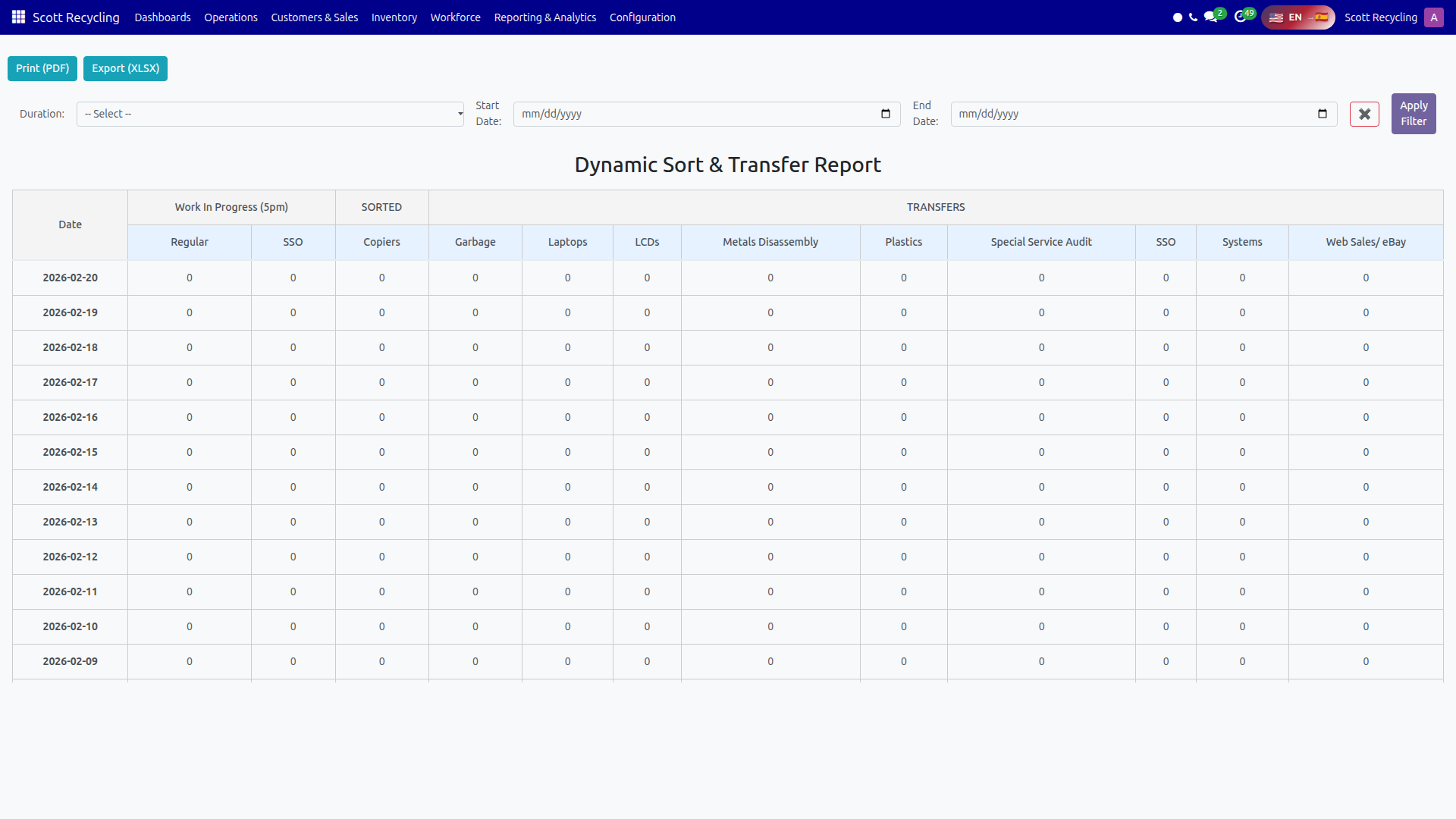
Filters
| Filter | Type | Options |
|---|---|---|
| Duration | Dropdown | 7 Days, 1 Month, 3 Months, 6 Months, 1 Year |
| Start Date | Date picker | Custom start date (overrides duration) |
| End Date | Date picker | Custom end date (overrides duration) |
- Select a Duration preset, or set custom Start/End dates.
- Click Apply Filter to load the report.
Time Slots
Activity is grouped into five time slots (US/Eastern timezone):
| Slot | Hours |
|---|---|
| 08–10 | 8:00 AM – 10:00 AM |
| 10–12 | 10:00 AM – 12:00 PM |
| 12–14 | 12:00 PM – 2:00 PM |
| 14–16 | 2:00 PM – 4:00 PM |
| 16–17 | 4:00 PM – 5:00 PM |
Report Sections
The report table has dynamically generated columns based on which users and locations had activity in the selected period.
User Columns (Sorting Activity)
One column per user who sorted boxes during the period. Each cell shows the number of boxes that user sorted in that time slot.
Transfer Location Columns
One column per transfer location that received items during the period. Each cell shows the number of items transferred to that location in that time slot.
WIP at 5pm
The final section shows Work In Progress remaining at 5:00 PM:
| Column | Description |
|---|---|
| Regular | Regular items still in progress at end of day |
| SSO | SSO items still in progress at end of day |
Reading the Report
Each row represents a date. Columns are grouped:
- Date — The activity date
- User columns — One per active user, showing sort counts per time slot
- Location columns — One per active location, showing transfer counts per time slot
- WIP — End-of-day work-in-progress counts
Info
The table has a sticky header so column labels remain visible as you scroll down through multiple days.
Export Options
| Button | Format | Details |
|---|---|---|
| Print (PDF) | Full report with all dynamic columns | |
| Export (XLSX) | Excel | Spreadsheet preserving the time-slot layout and all user/location columns |
Common Tasks
Review yesterday's sorting throughput
- Set the duration to 7 Days.
- Click Apply Filter.
- Find yesterday's row.
- Check the sort counts across each user's columns.
Compare transfer locations
- Load the report for the desired period.
- Scroll right to the transfer location columns.
- Compare totals across locations to identify bottlenecks.
Track end-of-day WIP
- Load the report for the desired period.
- Scroll to the WIP at 5pm columns.
- High WIP counts may indicate capacity issues or late-arriving shipments.
Troubleshooting
| Issue | Solution |
|---|---|
| No columns appear | No sorting or transfer activity exists for the selected date range. Try a wider range. |
| A user column is missing | That user had no sort activity in the period. Only active users generate columns. |
| Time slot counts seem low | Verify the timezone — all slots are in US/Eastern. |