SR Operations KPI Module
Overview
The SR Operations KPI module provides real-time performance tracking, WIP monitoring, configurable alerts, and training management for Scott Recycling operations.
Version: 17.0.2.0.0 Last Updated: February 2026 Target Audience: All Employees, Supervisors, Managers
What This Module Does
| Feature | Description |
|---|---|
| Daily KPI Tracking | Automatic aggregation of employee performance metrics |
| WIP Monitoring | Real-time work-in-progress levels across all departments |
| Alert System | Configurable rules that trigger when thresholds are exceeded |
| Training Management | Track employee training progress and certifications |
| SMS Notifications | Optional daily performance summaries via text |
Key Benefits
- No Manual Data Entry - KPIs are automatically calculated from existing data
- Real-Time Visibility - See performance as it happens, not days later
- Proactive Alerts - Know about problems before they become crises
- Fair Performance Tracking - Consistent targets by role
Training Modules
| Module | Duration | Audience |
|---|---|---|
| Understanding Your KPIs | 30 min | All Employees |
| Using the Dashboard | 20 min | All Employees |
| Manager Guide | 45 min | Supervisors, Managers |
| Alert Rules Configuration | 30 min | Managers |
The Operations Dashboard
When you open SR Operations, you'll see the Operations Dashboard with summary cards at the top and department tabs below.
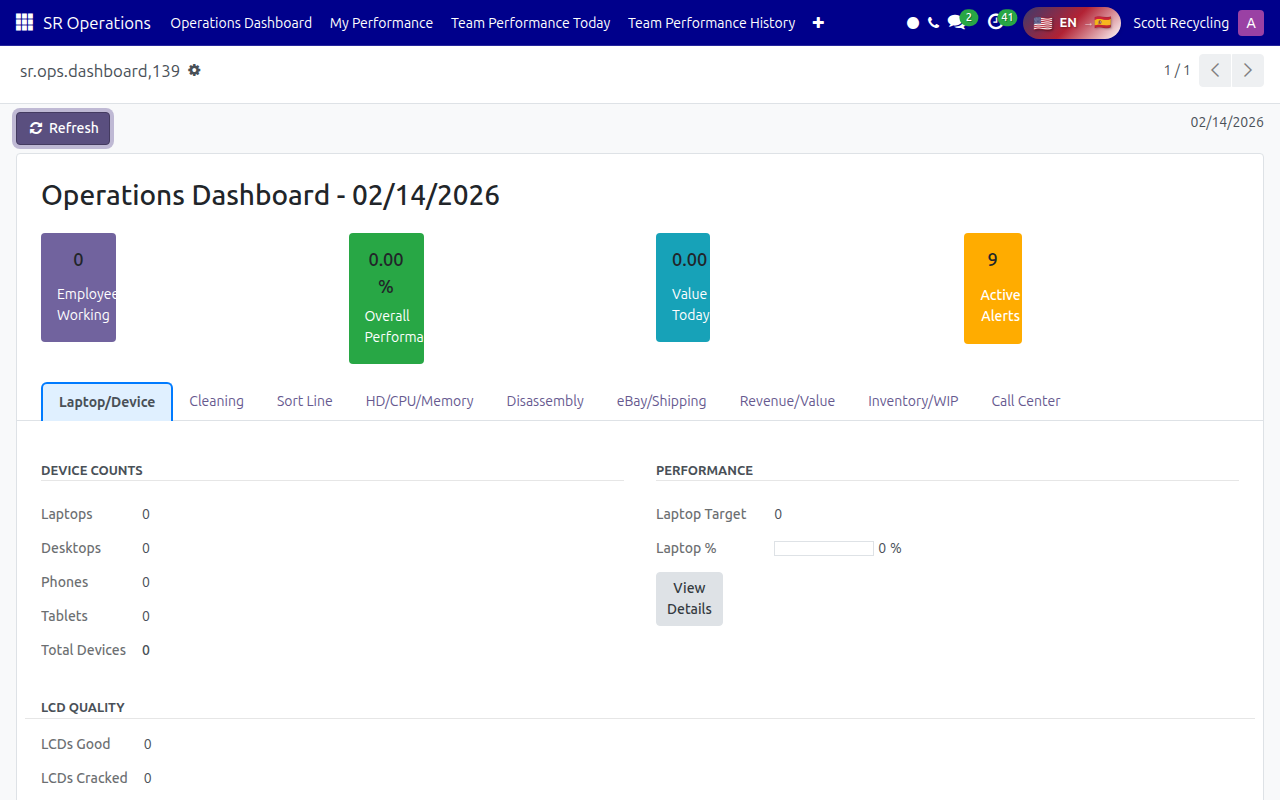
The top cards show at-a-glance metrics: Employees Working, Overall Performance %, Value Today, and Active Alerts. The tabs below break down data by department area — click any tab to drill into that area's metrics.
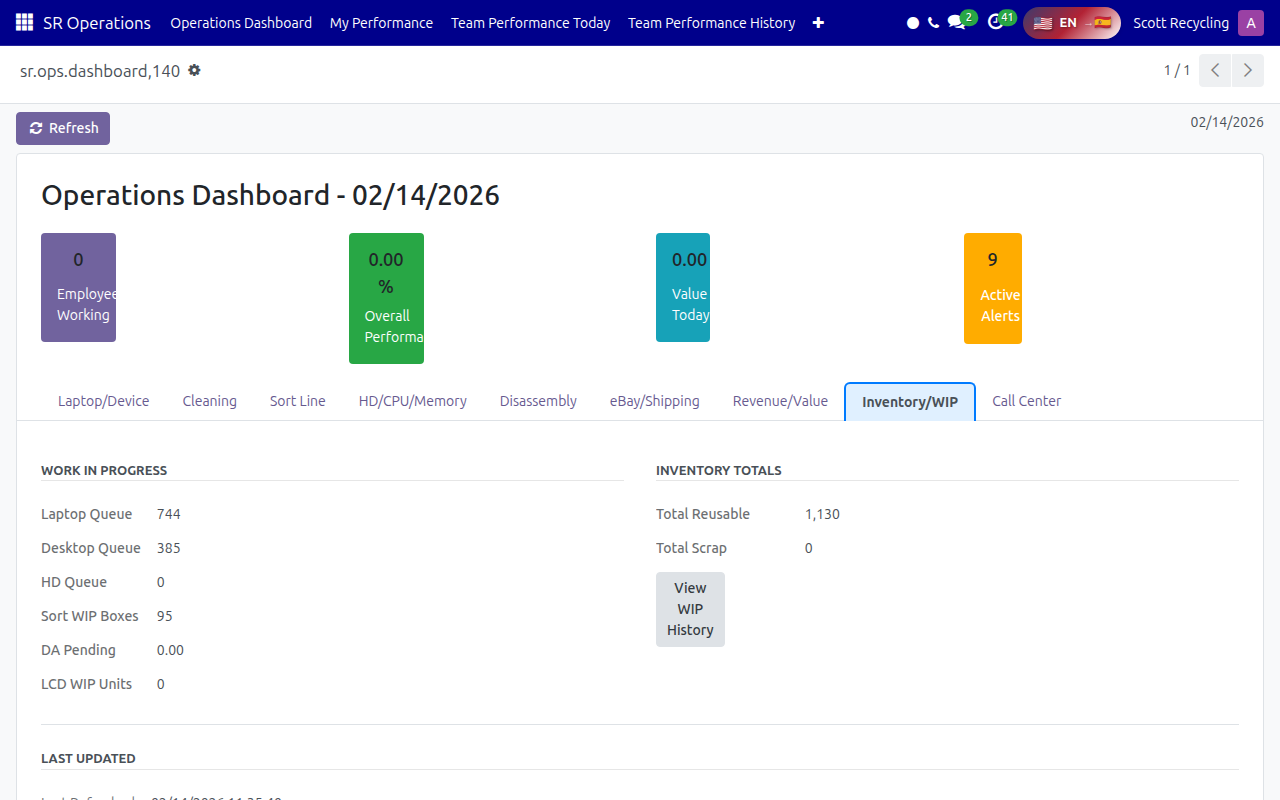
The Inventory/WIP tab shows real-time work-in-progress queues across all departments:
Quick Start
- Navigate to SR Operations in the main menu
- The Operations Dashboard loads automatically showing today's performance
- Use the tabs (Laptop/Device, Cleaning, Sort Line, etc.) to view metrics for each area
- Click My Performance in the top menu to see your personal KPIs
Getting Help
- Questions about your KPIs? Ask your supervisor
- Technical issues? Contact IT support
- Suggestions? Submit feedback through the standard process