Prospect Queue
Overview
The Prospect Queue manages outreach to new potential customers (prospects) who are not yet Scott Recycling clients. Prospects move through a defined set of stages from initial contact through conversion or closure.
All prospect work lives in Scott Recycling → Customers & Sales → Prospect Queue.
Last Updated: February 2026 Target Audience: CSRs, Managers
Prospect Stages
Prospects move through these stages in order:
| Stage | Description | Auto Follow-up |
|---|---|---|
| New | Just added to the system, not yet contacted | — |
| Initial Call | First outreach call has been made | 3 business days |
| DM Identified | Decision-maker has been identified | 2 business days |
| Packet Sent | Information packet mailed or emailed | 5 business days |
| Follow-up Call | Follow-up call after packet delivery | 3 business days |
| Closed | Converted to active customer | — |
Terminal Stages
| Stage | Description |
|---|---|
| Not Interested | Prospect declined service |
| Closed Lost | Prospect lost for other reasons (out of area, competitor, etc.) |
The Prospect Queue View
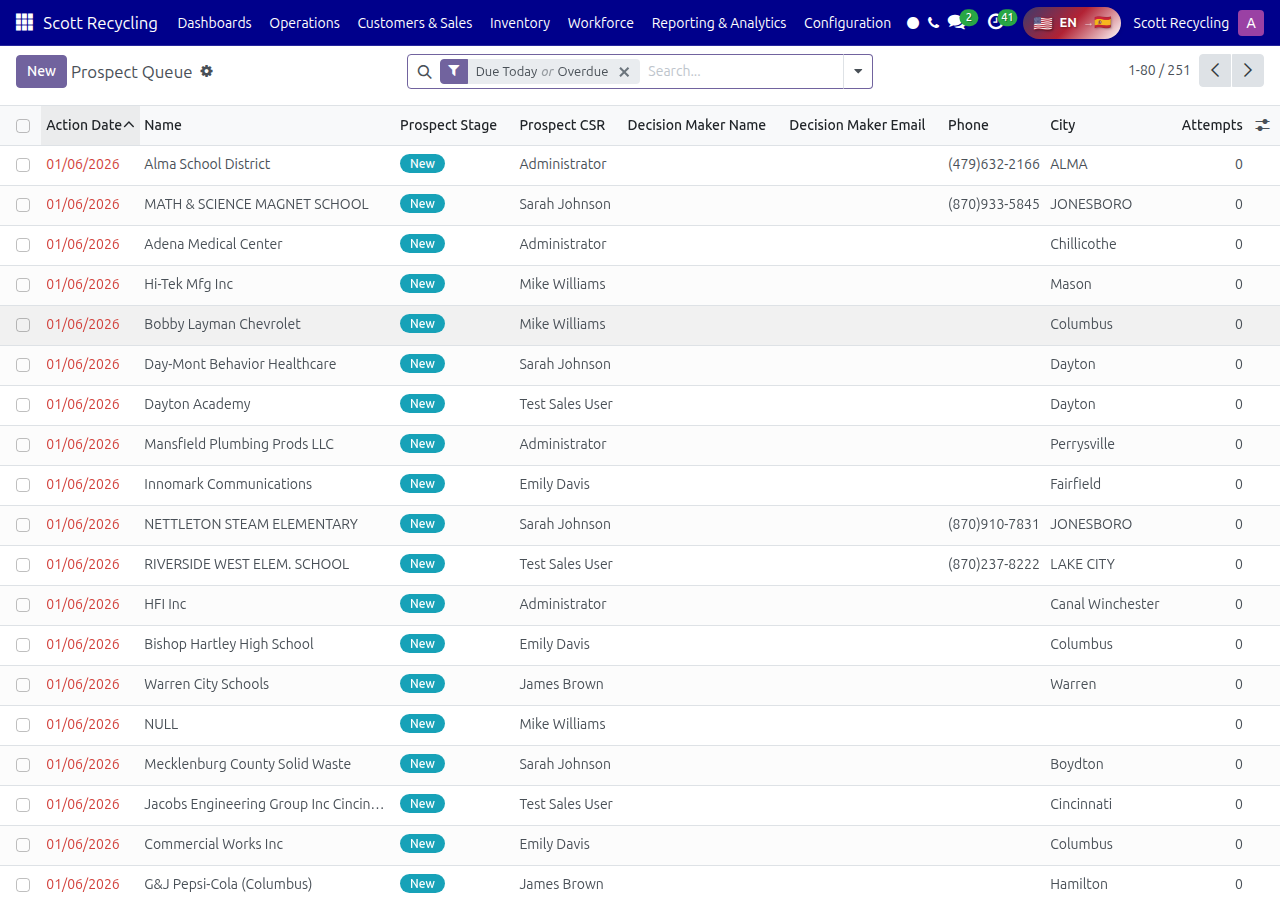
The queue shows all active prospects with their current stage, last contact date, assigned CSR, and next follow-up date. Work through prospects whose follow-up dates are due.
CSR Actions
Mark Initial Call
After making the first outreach call to a new prospect:
- Open the prospect record
- Click Mark Initial Call
- Add notes about the conversation
- The system moves the prospect to "Initial Call" stage and sets a 3-day follow-up
Mark DM Identified
When you've identified who makes recycling decisions at the company:
- Open the prospect record
- Click Mark DM Identified
- Enter the decision-maker's name and contact info
- The system moves to "DM Identified" stage with a 2-day follow-up
Send Info Packet
When you're ready to send the prospect information about Scott Recycling's services:
- Open the prospect record
- Click Send Info Packet
- Confirm the mailing address or email
- The system moves to "Packet Sent" stage with a 5-day follow-up
Mark Follow-up
After the follow-up call about the info packet:
- Open the prospect record
- Click Mark Follow-up
- Add notes about their interest level and next steps
- The system moves to "Follow-up Call" stage
Not Interested Wizard
If the prospect isn't interested:
- Click Not Interested
- Select a reason from the wizard (too expensive, have a provider, no e-waste, etc.)
- Add any notes
- The prospect moves to "Not Interested" stage
Note
After 3 "Not Interested" responses from different prospects at the same company, the company is flagged for manager review.
Contact Issue Wizard
If you can't reach the prospect or there's a contact problem:
- Click Contact Issue
- Select the issue type (wrong number, no longer at company, gatekeeper blocking, etc.)
- The prospect is flagged for manager review
Escalate to Manager
For prospects that need manager attention (large potential account, special pricing request, complex situation):
- Click Escalate to Manager
- Add a note explaining why
- The prospect appears in the Manager Review Queue
Manager Review Queue
Managers see a dedicated review queue for prospects that need attention:
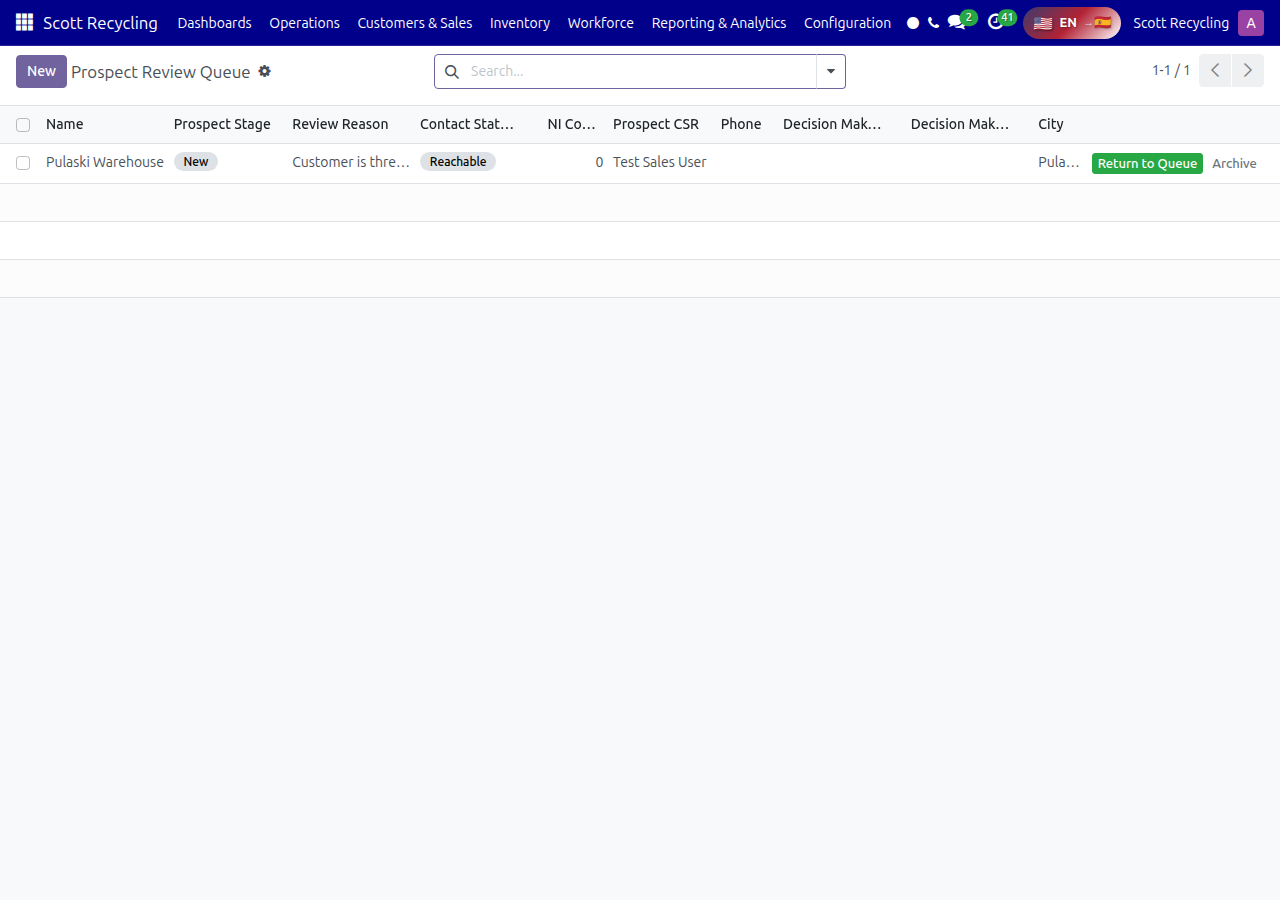
Prospects appear here when:
- A CSR escalated them
- There's a contact issue flagged
- 3+ prospects from the same company marked "Not Interested"
- The prospect has been in the same stage too long
Managers can reassign, update the stage, add notes, or close the prospect.
Prospect Conversion Metrics
The system tracks conversion rates across stages to help measure outreach effectiveness:
- New → Initial Call rate — How quickly new prospects get contacted
- Initial Call → DM Identified rate — How often the decision-maker is reached
- Packet Sent → Follow-up rate — How many prospects engage after receiving info
- Overall conversion rate — New prospects that become active customers
These metrics are visible in Scott Recycling → Reporting & Analytics.
Tips
Follow up on time
The auto follow-up dates are set for a reason. Calling on the scheduled date keeps momentum going and shows professionalism.
Always identify the decision-maker early
The sooner you know who makes the recycling decisions, the faster the prospect moves through the pipeline.
Use the Not Interested wizard honestly
Accurate reasons help managers identify patterns (e.g., pricing too high in a certain region) and adjust strategy.
Questions? Contact your supervisor or refer to the Getting Started guide.