CRM (Customer Relationship Management)
Overview
The CRM module is Odoo's built-in sales pipeline tool. It manages leads (potential customers or opportunities) through customizable stages from initial contact to closed deal. Features include pipeline views, activity scheduling, expected revenue tracking, and win/loss reporting.
Last Updated: February 2026 Target Audience: Sales, CSRs, Managers
How We Use It at Scott Recycling
At Scott Recycling, the CRM module works alongside our custom call queue system rather than replacing it. While the call queues (A/B/C/D) handle routine outbound calling for existing customers, the CRM pipeline tracks new business opportunities — leads that need nurturing through a sales process before becoming active accounts.
Leads enter the CRM from multiple sources. The prospect automation system (sr_prospect_automation) generates leads from targeted outreach campaigns. Responses to pickup blast emails can create or update CRM records. Sales staff also create leads manually from cold calls, referrals, or walk-ins. Our custom stages include a "Needs Pickup" stage for leads that have agreed to service but haven't had their first pickup yet.
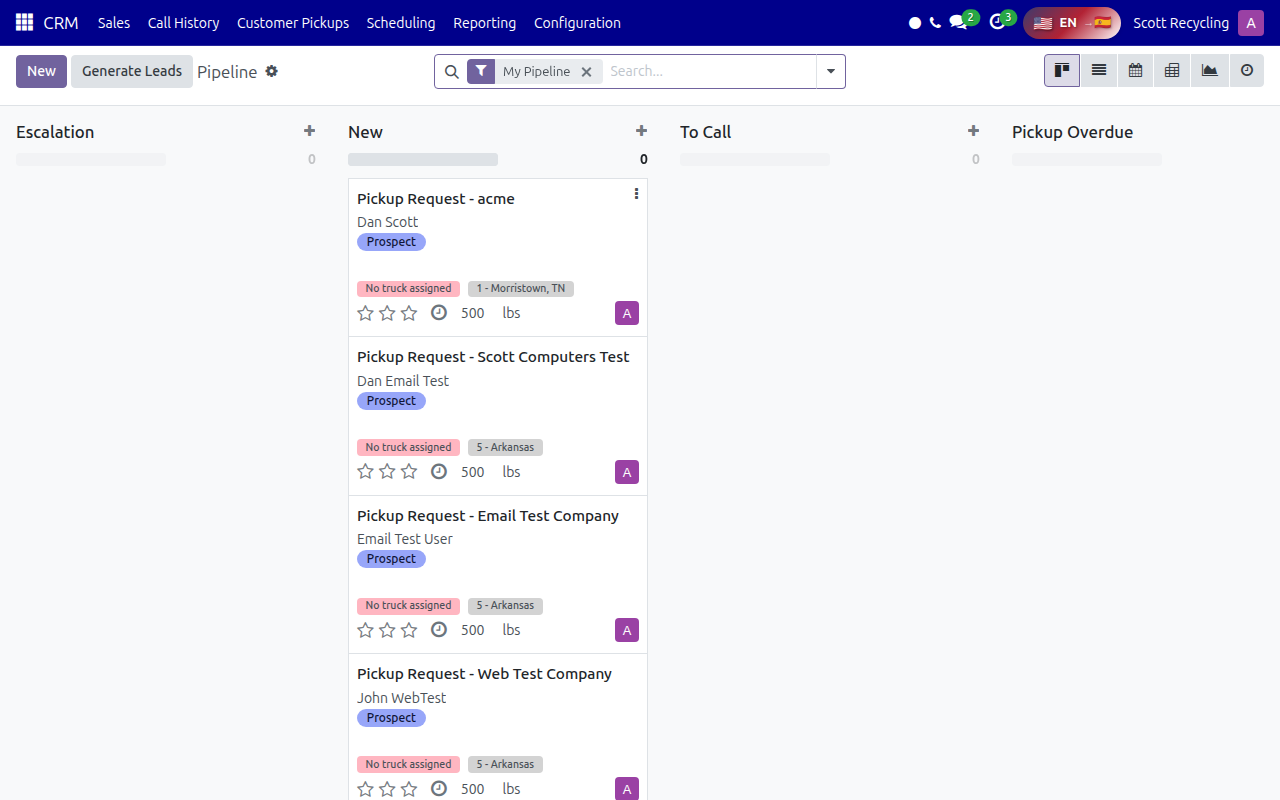 The CRM pipeline in Kanban view, showing leads organized by stage from initial contact to closed deal.
The CRM module's crm.lead model is one of our most extended models. It's customized by sr_management and sr_scheduling to add fields for pickup scheduling, call tracking, and routing information. When working with CRM leads, keep in mind that many of the fields you see are Scott Recycling additions, not standard Odoo fields.
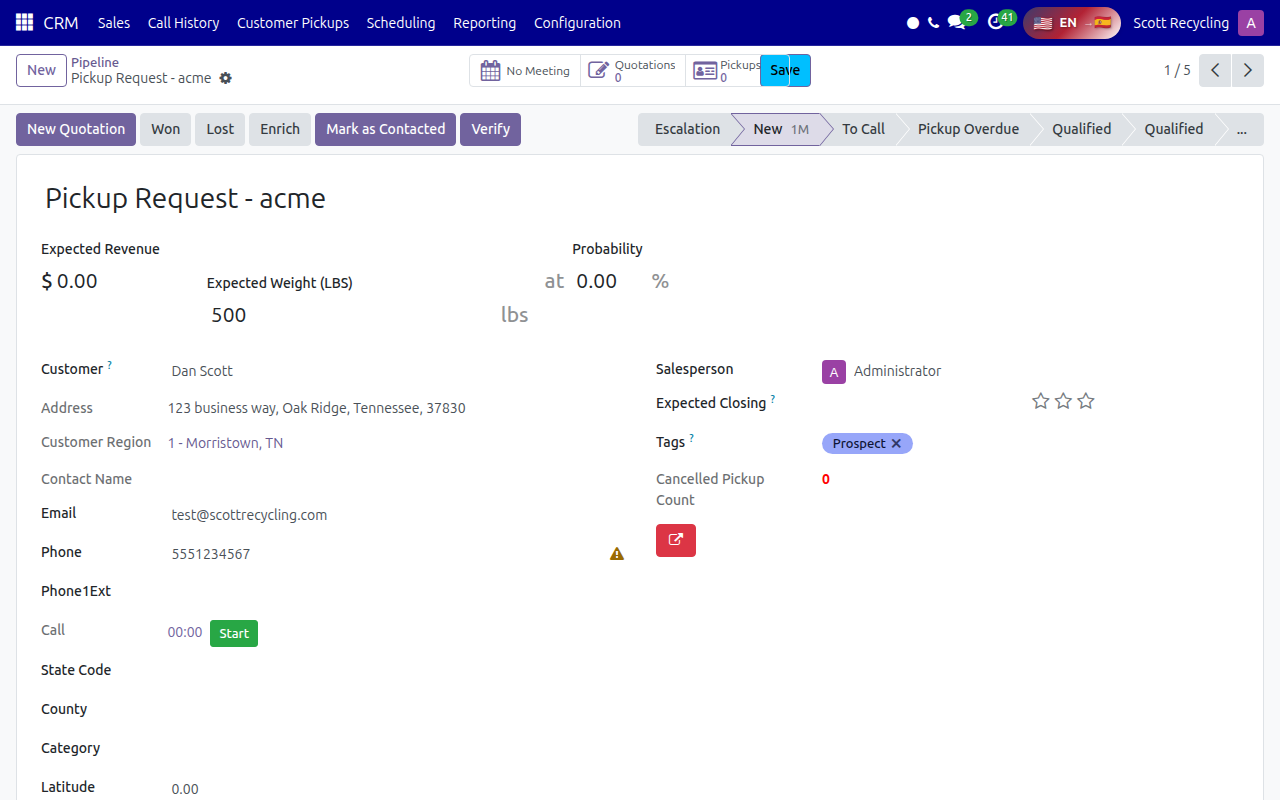 A lead/opportunity detail form showing custom Scott Recycling fields alongside standard Odoo CRM fields.
Learning Resources
Official Training
| Resource | Type | Duration | Link |
|---|---|---|---|
| Odoo 17 CRM Tutorial | Video | ~30 min | YouTube Search |
| Odoo 17 CRM Pipeline Setup | Video | ~15 min | YouTube Search |
| Odoo 17 Lead Management | Video | ~20 min | YouTube Search |
Recommended Reading
Quick Reference
| Task | Where to Find It |
|---|---|
| View the sales pipeline | CRM > Pipeline |
| Create a new lead | CRM > Pipeline > New |
| Log a call or activity | Open a lead > Log Note / Schedule Activity |
| Move a lead to the next stage | Drag the lead card in Kanban view, or click the stage bar |
| Mark a lead as won | Open the lead > Won button (top right) |
| Mark a lead as lost | Open the lead > Lost button > Select a reason |
| View all lost leads | CRM > Pipeline > Filters > Lost |
| Assign a lead to a salesperson | Open the lead > Salesperson field |
| Check expected revenue | CRM > Reporting > Pipeline Analysis |
| View activities due today | CRM > Pipeline > Filters > My Activities |
Tips
CRM leads vs. call queue customers
Don't confuse CRM leads with call queue entries. The CRM is for new prospects and sales opportunities. The call queues (A/B/C/D) are for existing customers who need routine outreach. Once a CRM lead converts to a customer, they enter the call queue system.
Use activities, not mental notes
Schedule follow-up activities directly on the lead record. Odoo will remind you and track overdue items. This is much more reliable than remembering to call someone back.
Check the Prospect Queue too
Our custom Prospect Queue (under Scott Recycling > Customers & Sales) is purpose-built for SR's outreach workflow. For many prospecting tasks, it's faster than the native CRM pipeline.
Need more help? Check the FAQ & Troubleshooting page or contact your supervisor.