Truck Location Map
Last Updated: February 2026 Target Audience: Dispatchers
The Truck Location Map shows the live GPS position of every fleet vehicle on an interactive map. Data comes from the Samsara fleet management system and refreshes automatically.
Navigation: Scott Recycling > Dashboards > Truck Location Map
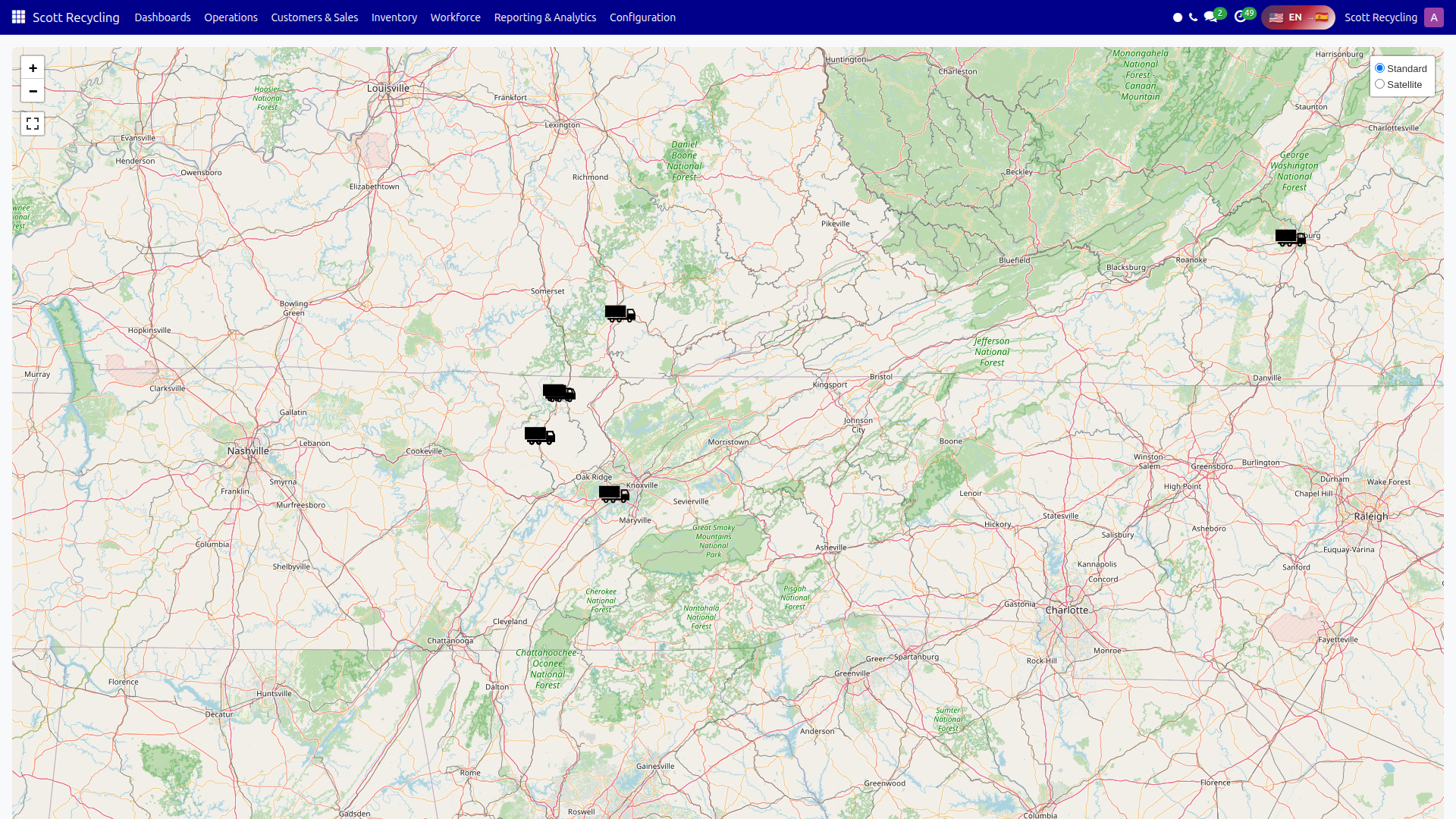
Map Features
| Feature | Description |
|---|---|
| Vehicle markers | Each truck appears as a pin on the map |
| Click a marker | Opens a popup with truck details |
| Map layers | Toggle between street map (OpenStreetMap) and satellite view |
| Zoom controls | Standard zoom in/out buttons in the top-left corner |
| Fullscreen | Expand the map to fill the entire screen |
| Auto-refresh | Vehicle positions update every 60 seconds automatically |
Vehicle Popup
Click any truck marker to see:
| Field | Description |
|---|---|
| Truck name | Vehicle identifier |
| Speed | Current speed in MPH |
| Location | Street address or coordinates |
| Last update | Timestamp of the most recent GPS reading |
Data Source
Vehicle positions are fetched from the Samsara API through a server-side proxy endpoint (/truck_live_data). This keeps the Samsara API key secure on the server.
Info
If a truck is not showing on the map, it may be powered off or outside cellular coverage. The map only displays vehicles that Samsara has reported a position for.
Common Tasks
Check where a specific truck is
- Open the Truck Location Map.
- Zoom and pan to find the truck, or look for its marker on the map.
- Click the marker to see speed and last-updated time.
Monitor fleet during pickup routes
- Keep the map open during the day.
- The auto-refresh (every 60 seconds) updates positions without manual action.
- Click individual trucks to check their current speed and location.
Troubleshooting
| Issue | Solution |
|---|---|
| Map is blank | Check your internet connection. The map tiles load from OpenStreetMap. |
| No truck markers visible | The Samsara API proxy may be unreachable. Contact your system administrator. |
| A truck shows an old position | The vehicle may be powered off. The "Last update" timestamp in the popup shows when data was last received. |
| Map loads slowly | Large numbers of vehicles can take a moment. Wait for the auto-refresh cycle to complete. |